Commons:FAQ/ca
Aquesta pàgina resumeix les preguntes més freqüents a Wikimedia Commons amb una resposta breu i enllaços a pàgines on s'aprofundeix més.
Preguntes sobre el projecte
Què és aquest lloc?
«Wikimedia Commons» (abreujat «Commons») és un dipòsit de fitxers multimèdia creat i mantingut per voluntaris i no per artistes remunerats. El nom «Wikimedia Commons» deriva de l'organització Wikimedia que gestiona tots els projectes Wikimedia, i del terme anglès common ja que és un projecte comú per a tots el diferents projectes de Wikimedia. Proporciona un dipòsit centralitzat d'arxius lliures com fotografies, diagrames, animacions, música, texts llegits, videoclips i diversos fitxers que siguin útils per a qualsevol projecte de Wikimedia.
Quin és l'abast d'aquest projecte?
Vegeu Commons:Abast del projecte.
Puc afegir-hi material?
Sí, és clar! De fet, és el que desitgem que feu. Simplement, comenceu pels primers passos per unir-vos al projecte.
Quin material puc carregar?
Es pot carregar qualsevol fitxer multimèdia llicència lliure (imatges, so, vídeo, etc.) que sigui útil per a qualsevol projecte Wikimedia. Per als tipus de fitxer acceptables, vegeu tipus de fitxers. Les llicències han de permetre l'ús comercial i la creació d'obres derivades.1 Vegeu també la pregunta sobre drets d'autor per a les condicions de llicència requerides. Si esteu interessats a carregar imatges, us pot ser útil llegir Commons:Normes sobre drets d'autor per tema.
Puc carregar miniaplicacions de Java o Flash web que siguin útils per explicar o mostrar un concepte?
En general, no. Vegeu Commons:Abast del projecte i tipus de fitxers. Commons no té el propòsit d'allotjar programari sinó fitxers multimèdia. Hi ha altres projectes que poden ser més adequats perquè compartiu el programari que heu creat. Vegeu, per exemple, una llista de facilitats d'allotjament gratuït de programari. Flash està en el límit entre programari i fitxer, però Java és clarament programari.
Puc carregar text del que en sóc l'autor?
Commons té contingut multimèdia (imatges, vídeo, so), no text. Segons el format i el contingut, el text pot ser acceptat en algun altre projecte de Wikimedia, com Viquipèdia, Viquitexts, o Viquillibres. Però tingueu en compte que no heu de copiar i enganxar text en aquests altres projectes llevat que estigueu disposats a deixar-los en domini públic o sota la llicència de documentació lliure de GNU (GFDL). Per exemple, per poder usar text d'un lloc web, encara que sigui seu, aquesta web externa ha de mostrar un avís clar de lliurament al domini públic o sota la llicència GFDL.
Per a que són les pàgines de galeria (l'espai de noms principal)? Com han de ser?
Les galeries són un complement a les categories, una altra forma de mostrar els arxius multimèdia. Permeten anotar els fitxers amb textos explicatius, mostrar-los en mides millors que la mida per defecte de la categoria, organitzar-los en taules, etc. Normalment, comencen amb textos explicatius curts que introdueixen breument el tema en molts idiomes (aquests es poden generar automàticament mitjançant MultiDesc), seguits de seccions amb encapçalament que normalment utilitzen l'etiqueta <gallery> (vegeu meta page per obtenir una orientació).
Igual que els articles d'altres projectes, les galeries han d'estar al menys en una categoria i es poden afegir els enllaços als articles corresponents de la Viquipèdia (es poden generar amb l'eina Sum-it-up).
Una bona forma de dissenyar una nova galeria és adaptar-ne una altra d'un tema similar. Per exemple, les pàgines sobre espècies (animals o vegetals) necessàriament seran diferents de les pàgines sobre llocs (ciutats, països).
Què faig, una galeria o una categoria?
Els arxius sempre s'han d'afegir a categories descriptives, ja que si només són a galeries es poden treure fàcilment i quedar perduts. Les categories són útils per contenir les imatges sobre un tema. Les galeries, o pàgines d'articles, són útils per organitzar les millors imatges, les més il·lustratives, informatives i interessants. Per exemple, compareu Tennis i Category:Tennis. La informació en galeries es pot presentar ordenada de forma jeràrquica, com Pronunciation of Dutch municipality names i United States.
Això només és un consell si us sentiu totalment perduts. Alguns temes tenen directrius específiques per a l'organització dels mitjans, com ara plantes i animals que entren dins del WikiProject Tree of Life. A menys que us interessi ajudar amb aquests projectes, no us preocupeu massa per esbrinar quines són les "regles" fins que algú us ho digui: les persones que participen en el projecte ho arreglaran.
Preguntes sobre drets d'autor
Quines llicències han de tenir els meus arxius?
Tot el que pengeu ha d'estar al domini públic o sota una llicència lliure com ara CC BY/BY-SA. Per a més informació, consulteu Commons:Sobre les llicències i Commons:Senyals de drets d'autor. Si us plau, no inventeu llicències del no-res. La majoria de les coses a Internet tenen drets d'autor. No doneu per fet el contrari tret que tingueu una bona raó. Quan publiqueu la vostra pròpia obra, podeu alliberar la vostra obra al domini públic ({{PD-self}}) o sota llicències específiques: {{self|nom de la llicència}}, {{self|llicència 1|llicència 2}} etc. També podeu triar una de les opcions del menú desplegable del selector de llicències a Special:Upload a "obra pròpia".
Puc carregar escanejats i imatges d'altres que he modificat?
Només el creador de l'obra original, o aquells que en tenen els drets, poden concedir una llicència. Si aquesta obra té certes llicències, podeu fer-ho. Per exemple, la llicència Creative Commons Attribution-Share Alike 3.0 Unported estableix específicament que sou lliures de compartir i adaptar el material.[1] Però un escaneig o una modificació no fa que un document esdevingui (o es transformi en) la vostra pròpia obra. Això vol dir que no podeu simplement agafar un fitxer d'Internet i posar-hi una llicència CC. Vegeu també Commons:Normes sobre drets d'autor per tema.
Per què Commons no accepta el fair use?
Un dels principis bàsics de Wikimedia Commons és que el contingut emmagatzemat aquí ha de ser reutilitzable lliurement en qualsevol context, arreu del món, de la mateixa manera que ho és el contingut de l'enciclopèdia (amb llicència CC BY-SA). Això ens restringeix a "només contingut lliure". Aquest principi, com la política del punt de vista neutral de la Viquipèdia, no canviarà mai. A més, l'ús legítim només s'aplica a l'ús en un context "editorial", simplement no s'aplica a un repositori multimèdia. La llei de drets d'autor també varia d'un país a un altre. Per tant, les lleis Fair use també variaran: cada país té la seva pròpia interpretació i moltes jurisdiccions no tenen cap tipus d'ús legítim (fair use). Com a resultat, el contingut d'ús legítim poques vegades es podrà utilitzar fora dels Estats Units.
- Vegeu també: Commons:Ús raonable
Puc usar el material d'aquest lloc fora de Wikimedia?
Sí, podeu fer-ho. Tanmateix, haureu de comprovar la pàgina de descripció de la imatge (es pot veure clicant sobre la imatge) per veure la seva llicència. En la majoria dels casos només caldrà citar l'autor i la informació de llicència junt amb la imatge que publiqueu. Vegeu més detalls a Reutilitzar el contingut fora de Wikimedia.
Quina informació haig de posar en el resum o en la descripció?
Vegeu la guia de Primers passos. Es recomana utilitzar Template:Information per omplir la pàgina de descripció. Si esteu utilitzant l'Upload Wizard o el formulari de càrrega millorat, s'utilitzarà automàticament {{Information}} i les dades/entrades que proporcioneu s'hi organitzaran correctament.
Com s'acredita que sóc l'autor?
Algunes de les llicències que usem requereixen l'atribució de l'autor. Això significa que l'autor s'ha d'acreditar cada vegada que s'usa la seva imatge. Assegureu-vos que poseu correctament el nom que voleu que es mencioni a la pàgina de descripció de la imatge. En els articles de la Viquipèdia, qui vulgui veure la imatge ampliada veurà el vostre nom. Alguns usuaris afegeixen el nom de l'autor en la llegenda de la previsualització en miniatura, però és una pràctica controvertida i no es pot garantir.
What happens if a Flickr license changes?

Authors may change their Creative Commons licenses and sometimes do, but their license at the time of verification cannot be revoked. (See the Creative Commons FAQ: What if I change my mind about using a CC license?) If an upload from Flickr has a verified CC BY or CC BY-SA license, the file remains on Commons. However, the template {{Flickr-change-of-license}} might be added. Works identified on the image page as a new version of a verified file also remain. Verification appears in a FlickreviewR, administrator or trusted user notice on the image page.
I have uploaded an image, can I revoke the license later?
The short answer is "No".
Free licenses are designed in such a way that once you release the work under them, you cannot later demand that people stop using that particular license to distribute the work. This is done to protect the users from putting their time and energy making what you upload better or developing something around that work, only to find out later than their work cannot be distributed at all because you have changed your mind. Also see the official Creative Commons FAQ topic “What if I change my mind about using a CC license?”, more info.
Please think hard before you upload images to Wikimedia Commons.
Having said that, on some occasions, such as when it is clear that a mistake was made, and the uploader requests the deletion right after the upload, images are deleted. But this is not a loop-hole that you can use if your upload has resided on Commons for a week or more.
I am not the author, but I have permission
If you are not the author but you have their permission to distribute under a free license (COM:L) please see Commons:Volunteer Response Team#Licensing images: when do I contact VRT?.
How can I be sure that I or others will be able to prove the license associated with a file, even if the site it came from no longer exists, or has changed its license?
If you are worried about the possible case that, in the future, the file's source site disappears, removes the file, or relicenses all or part of its content, and this can lead to the file eventually being deleted from Wikimedia Commons, you can place Template:LicenseReview in your file's page. This will mark the file for license review by an administrator or reviewer, to confirm that the stated license is valid. Since free licenses or public domain status cannot be revoked, once the license has been succesfully reviewed, this ensures the continuity of the file in Wikimedia Commons (unless other circumstances preclude it, such as the file not being within the project's scope, or not complying with some other rule).
Preguntes tècniques
Does Commons use a special wiki engine?
No. It is the same MediaWiki as for most other Wikimedia sites, but with galleries instead of articles in the main namespace (see the question above). But this site has many heavily customized gadgets and most templates are unique to Commons and developed locally.
Amb quina resolució carrego les imatges?
La resolució més alta disponible serà la millor. No us heu d'amoïnar per l'espai de discs dels servidors, ni pels temps de descàrrega, ja que el programari automàticament genera versions reduïdes per les necessitats de les pàgines de la Viquipèdia.
Però, les versions reduïdes poden fallar si la imatge és realment molt gran i la seva reducció pren molt de temps o de memòria. Per imatges PNG, el límit màxim és de 12 megapíxels. Els JPEG grans només són problemàtics si estan desats en mode progressiu, ja que s'ha de processar la imatge sencera. Useu el mode baseline.
En cas que la imatge original sigui massa gran per a processar-la, carregueu a sobre una nova versió reduïda, d'uns 6 megapixels. La versió original continuarà disponible en l'historial de càrregues i ho podeu indicar en la descripció de la imatge.
Com puc usar una imatge d'aquí en una Viquipèdia?
Enllaceu-la com si fos una imatge local. Nota: Hi pot haver un petit retard en la visualització de la imatge a la Viquipèdia. Això és degut a les versions en memòria cau. Proveu de recarregar en el vostre navegador la pàgina de la imatge (no l'article). Vegeu també l'ajuda de MediaWiki, l'ajuda de Meta-wiki i l'ajuda de la Viquipèdia.
How do I link to an image without showing it?
Use [[:File:Example.jpg]]. That shows up as: File:Example.jpg

Com puc transferir una imatge de la Viquipèdia a Commons?
Si la imatge té una llicència lliure, podeu fer servir FileImporter per transferir-ho a Commons.
Com puc canviar el nom d'un fitxer?
Si el fitxer és vostre i l'heu carregat recentment, vegeu les recomanacions sobre com anomenar-lo a Commons:Denominació dels fitxers i afegiu la següent plantilla a la pàgina de descripció del fitxer, preferentment amb el motiu en anglès: {{rename|nom nou.jpg|2=uploader request: please rename to fix ... }} (demanat pel propi usuari, si us plau reanomeneu per corregir...)
Si el fitxer no l'heu carregat vosaltres mateixos, comproveu si el motiu és algun dels especificats a Commons:Renomenar un fitxer. En aquest cas, utilitzeu també {{Rename}} i expliqueu el motiu i el criteri corresponent aplicable.
Les pàgines de galeries es poden moure pels usuaris registrats usant l'enllaç «reanomena» que normalment es troba a les pestanyes sobre la pàgina (depèn de l'aparença que un tingui a les seves preferències). Aquesta opció no està disponible pels usuaris novells. En cas de necessitat demaneu-ho a algú altre.
Com puc canviar el nom d'una categoria?
Vegeu Commons:Canvi de nom de les categories.
Com puc posar una pàgina o una imatge en una categoria?
Per afegir una imatge o una pàgina a la categoria Daixonses, afegiu el següent enllaç al final de la pàgina: [[Category:Daixonses]]. Aquest enllaç farà aparèixer la caixa de categories al final de la pàgina, i mostrarà la pàgina en la categoria. Vegeu Commons:Categories per a més informació.
Com puc trobar la millor categoria per les meves imatges?

La categorització hauria de respondre les preguntes: què és?, on és? Un fitxer s'ha de col·locar a la categoria o categories més específiques que hi encaixin. No fem servir etiquetes de paraules clau generals com ara "natura" o "arquitectura" per organitzar els fitxers.
There are several ways to find appropriate categories (or gallery pages).
- Mireu la Pàgina principal i les categories que s'hi donen i aneu a la que millor s'adapti a la vostra imatge. A continuació, mireu les subcategories i les pàgines d'aquesta categoria i torneu a triar la que millor s'adapti. Repetiu fins que no trobeu cap lloc més específic que s'adapti a la vostra imatge.
- Type the name (or location, or a short description) of the depicted motif into the search box. In the search results, look for a suitable category or pictures of the same motif that have already been properly categorized.
- If your picture is suitable to illustrate a specific Wikipedia article, find out if there is a link to the corresponding Commons category (or gallery) in the article's "In other projects" or "External links" sections, and follow that link.
If unsure, choose a more general category. However, unless a picture has additional important elements to it that are currently missing their own subcategories, avoid categorizing pictures into both a subcategory and one of this subcategory's more general parent categories. See Commons:Categories for more information.
Why might a category list not be up to date?
Sometimes, pages are placed in categories not manually by Commons editors, but by means of a special editing tool called a template, which can be used to place identical information (including category membership information) on many different pages at once. When the information on such a template is edited, the pages containing that template are not necessarily updated immediately. This means that pages might not always appear in the most current categories. However, this problem usually affects project maintenance categories rather than the categories used for browsing.
Various other temporary delays may sometimes mean that lists of category members or subcategories, or the page counts given, are not completely up to date. So if you are editing Commons and find that your page hasn't yet shown up in a category or been removed from an old category, don't panic! The problem will probably resolve itself within minutes, or after a longer time in rare cases.
Com s'han d'organitzar les categories?
Intenteu copiar l'estructura d'una categoria existent. Assegureu-vos que cada nova categoria estigui com a mínim en una categoria superior. Vegeu si la vostra àrea té definit un esquema de categories, o si n'hi ha algun que us serveixi. Especialment per a espècies i països, l'estructura hauria de seguir les convencions existents. Per més informació vegeu Commons:Categories.
Com puc fer una galeria per les meves imatges?
Podeu crear una galeria d'usuari com a subpàgina de la vostra pàgina d'usuari (si sou l'usuari Daixonses, poseu la pàgina de la galeria a User:Daixonses/gallery) o com a categoria (anomenada alguna cosa així com Category:Pictures by Daixonses). Totes les galeries d'usuaris haurien d'estar a Category:User galleries, totes les categories d'usuaris haurien d'estar a Category:User categories – vegeu Commons:Galeries, plantilles i categories específiques d'usuari per a més detalls. Per trobar totes les imatges que heu penjat, podeu utilitzar el registre de càrregues.
How do I create a gallery?
See meta:Help:Images#Rendering_a_gallery_of_images for information on how to create galleries the easy way – with the <gallery> tag. The page Commons:Galeries might give you information on common conventions of galleries here on Commons.
Per què continuo veient la imatge vella i no la nova que he carregat?
Commons utilitza la "memòria cau" per mostrar les pàgines més ràpidament, cosa que ocasionalment fa que mostri còpies de pàgines i miniatures que no estan actualitzades. La "purga" és una manera de forçar Commons a recrear una pàgina des de la seva base de dades, en lloc de confiar en la versió de la pàgina emmagatzemada a la memòria cau.
See Help:Purge, en:WP:BYPASS, and en:WP:PURGE for more details.
Can I upload video and/or audio?
Per què no puc veure algunes imatges?
Pot ser un problema de les miniatures (vegeu la pregunta anterior), o potser teniu un programari de blocatge de publicitat que tracta la imatge com a sospitosa. Podeu veure la Image:D-fructose.png? Si no la veieu, aquesta és probablement la causa del vostre problema. Aquesta imatge és a l'adreça URL http://upload.wikimedia.org/wikipedia/commons/a/ad/D-fructose.png que conté la seqüència «/ad/» interpretada com advertisement (publicitat). Canvieu la configuració del vostre programari per a que aquesta protecció no s'apliqui als dominis .wikipedia.org ni .wikimedia.org.

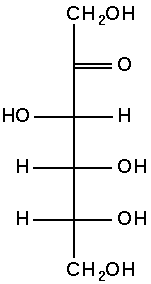
The file may be too large to give a thumbnail (e.g., a large JPG in progressive mode). See: Commons:Tipus de fitxers#Size and scaling.
Com puc cercar imatges?
Mireu Special:MediaSearch o Special:Search i seguiu els enllaços que hi ha. Per a una cerca més avançada, consulteu Help:Search i Commons:Eines#Search. També podeu anar a articles relacionats a les diferents Viquipèdies i veure quines imatges utilitzen. Algunes potser ja són a Commons i haurien d'estar categoritzades, cosa que us donarà una pista d'on cercar-ne més.
Quin és el programari adaptat per aquest projecte?
Vegeu Commons:Eines, Commons:Gadgets i Commons:Bugs.
Tinc un munt de fitxers. Puc carreglar-los per lots en lloc d'individualment?
Yes. The UploadWizard allows you to upload a batch of files at the same time.
També hi ha diverses eines de càrrega d'escriptori autònomes populars que podeu instal·lar al vostre ordinador.
If you use Lightroom, Darktable or Digikam, there are even extensions for directly uploading (batches of) images from within your editing software available.
Per a aquells que se sentin còmodes amb la línia d'ordres Unix o Python, també hi ha disponibles diversos scripts de càrrega per a càrregues per lots.
Cal reanomenar un fitxer o una pàgina. És possible?
Galeries i altres pàgines estàndard: sí. Els comptes de més de quatre dies poden canviar el nom dels articles mitjançant la pestanya «moure» a la part superior de la pàgina. Tingueu en compte que per a títols en diferents idiomes, s'han de crear redireccions en lloc de moure una pàgina.
Arxius (imatges): Sí, però només per administradors o usuaris amb permís de transferència de fitxers. Si us plau, consulteu § Com puc canviar el nom/moure una imatge o un altre fitxer multimèdia?.
Categories: no. Si la categoria mal anomenada encara és probable (en lloc d'una falta d'ortografia), aquesta s'ha de convertir en una redirecció suau etiquetant-la amb {{Category redirect}}. Les imatges de la categoria s'han de canviar manualment per pertànyer a la nova categoria. (Cat-a-lot és un enginy que facilita aquesta recategorització massiva.) Tingueu en compte que, a causa de restriccions tècniques, totes les categories han de ser en anglès.
Quan intento carregar un arxiu em diu que el format no està permès
Assegureu-vos que el fitxer que esteu pujant tingui una extensió i que sigui un dels formats permesos. Assegureu-vos també que no heu deixat cap espai ni abans ni després del punt.
Assegureu-vos que en el camp «Nom del fitxer de destinació» estigui inclosa la extensió. Per exemple, «Taronges valencianes.jpg» i no només «Taronges valencianes».
What does the upload error This file contains HTML or script code that may be erroneously interpreted by a web browser. mean?
The file you tried to upload contains some HTML code in its metadata. Most likely, you tried to upload a JPG file, and the HTML is contained in the file's Exif data. Because of security concerns, such files cannot be uploaded.
You'll have to remove the HTML code from the file's metadata. You will need to have access to software that allows you to edit such metadata. One way to do this is via exiftool. This is a very powerful command-line program to edit image metadata. If you're using a computer running the Windows operating system, there is also a graphical user interface to that tool called ExiftoolGUI.
If the file you tried to upload is from Flickr, you can view (but not edit) the metadata on Flickr. For instance, this Flickr image does have HTML in its metadata and will thus provoke this error message. You can view the metadata by appending "/meta" to the URL: this image's metadata. The "Caption-Abstract" metadata entry contains HTML-code: <a href="http://en.wikipedia.org/wiki/Napier,_New_Zealand#1931_earthquake">Wikipedia</a>. That's the bit you'd need to remove. (Yes, that's just a harmless link. But with HTML, one could try to do more nefarious things, and thus our software simply forbids any HTML in image metadata.) Download the Flickr file to your computer and then remove the HTML from the metadata.
Once you have removed the HTML from the image's metadata, you should be able to upload the file. (Do not upload this sample file from Flickr, though, it already exists as File:Central Hotel, Napier 05.jpg.)

Vull usar una imatge de Commons, però n'hi ha una altra amb el mateix nom al meu wiki local.
Malauradament per ara les úniques opcions són esborrar l'arxiu local o carregar de nou la imatge de Commons amb un altre nom, o bé sol·licitar que es mogui la imatge local o la imatge de Commons a un altre nom. Si es canvia el nom de la imatge local, potser caldrà suprimir també la redirecció restant.
Com puc carregar una nova versió d'un arxiu?
En primer lloc, només ho podeu fer si el vostre compte té més de quatre dies.
Secondly, consider uploading to a separate file unless the changes are relatively minor. See Commons:Sobreescriure fitxers existents.
Aneu a la pàgina de la imatge. Sota de l'«Historial del fitxer» teniu un enllaç que diu «Carrega una nova versió d'aquest fitxer». Seguiu l'enllaç i useu el botó «Navega» per trobar la nova versió en el vostre ordinador. En el camp «Resum» haurieu d'explicar alguna cosa com «hi-res version», «removed background noise» o «fixed colour balance». Cliqueu el botó «Carrega un fitxer» i rebreu l'avís de que esteu substituint un fitxer existent però, com que és el que voleu fer, podeu continuar.
Avoid overwriting images with different images of the same topic.
Where can I see where my file is being used?
Below the "File history" section are two "file usage" sections, one titled File usage on Commons and another titled File usage on other wikis. These two sections will list all instances on Wikimedia Foundation projects where your file is currently in use.
If you want to do this for all the files you uploaded you can use the glamorous tool. Seeing where the file is used outside of Wikimedia projects is currently not possible but you could try reverse searching your image.
Why did my image rotate after I uploaded it?
This is most likely the result of an error in the file's EXIF data (also called its "metadata"). See Commons:Rotation for information about fixing this problem.
How do I fix the orientation of an image?
If your image appears upside down or needs to be turned by 90°, click on the Edit tab on the top of the file page. Then scroll down and type {{Rotate}} somewhere in the edit window. This will add a "rotation" template to your file (if you know exactly how you would like the image rotated, add that information to the template per the instructions below). Finish by clicking Publish changes at the bottom of the page. After a couple of hours, a bot will automatically rotate the image (losslessly, if possible).
RotateLink is a default gadget to add a link “( request rotation)” to file pages, which allows you to easily (automatically) request any rotation.
Manual way:
| Template | Rotation |
|---|---|
| {{rotate|90}} |  90 degrees clockwise 90 degrees clockwise |
| {{rotate|180}} |  180 degrees 180 degrees |
| {{rotate|270}} |  270 degrees clockwise (90° anticlockwise) 270 degrees clockwise (90° anticlockwise) |
If you request a rotation by another value (e.g. 5°), the image will be placed in Category:Images requiring rotation for processing by humans. Maybe an editor will take the time to rotate it – can take some longer time.
My camera puts a timestamp on photos. Good?
No. Not good. Turn it off. It's much better to just let your camera store things like this in the file's Exif data – most devices will do that automatically.
What are the strangely named components in file paths?
And how are they computed?
If you go to some file on a MediaWiki installation, say File:Spelterini Blüemlisalp.jpg, and you click to view the full version, you may discover that the file resides at the URL https://upload.wikimedia.org/wikipedia/commons/a/ae/Spelterini_Bl%C3%BCemlisalp.jpg. (The "%C3%BC" part is just the result of url-encoding the Umlaut "ü".)

- Where does that "/a/ae" part come from?
- The "a" and "ae" denote some subdirectories that are used to avoid problems with directories containing too many files. Imagine all the millions of files at the Commons in one directory! Some operating systems have problems dealing with directories with many files. (Try working with a folder containing a few thousand files on Windows…)
- Can it be calculated from the file name?
- Yes. It's the first and the first two characters of the MD5 hash of the filename (blanks replaced by underscores) without namespace part. The file name "Spelterini_Blüemlisalp.jpg" has the MD5 hash "ae1a26d34d6a674d4400c8a1e6fe73f8".
- MediaWiki installations can be configured on how to generate these filenames and directory structures. Any MediaWiki installation has one or more file repositories, which may be local or not. First, such subdirectories are used only if the global server-side configuration setting $wgHashedUploadDirectory is
true(or $wgHashedSharedUploadDirectory for shared repositories). Then, for each file repository, there is a property calledhashLevelsthat determines how deep the directory structure shall be. If zero, no such intermediary directories are used. If set to e.g. 3, three levels of directories are used; for the example above, one would get "/a/ae/ae1". - This method of storing files has been in MediaWiki since version 1.1 (and possibly even earlier), though it became a bit more configurable over time; initially, it was hardcoded to use two hash levels.
- You can check what the file URL for a given file name will be at Special:FilePath. The file path can also be queried through the MediaWiki API using e.g. a query like https://commons.wikimedia.org/w/api.php?action=query&titles=File:Spelterini_Bl%C3%BCemlisalp.jpg&prop=imageinfo&iiprop=url. Both these methods, however, work only for existing files.
- Online MD5 calculators differ in the way they treat UTF-8 input. Two that return values consistent with the way MediaWiki hashes UTF-8 strings are helloacm.com/md5/ and md5.cz.
How do I translate the subtitles on a video?
You can create a copy of the timed text page containing the transcribed subtitles, changing the language code in the timed text page to your language code. Then you simply translate the text. See Commons:Timed Text#Internationalization.
Internal error: bad token
When uploading a file you may see an Internal error: Bad token. error message. This will usually be fixed by logging out of Commons, closing your browser, and starting again. If not, you may additionally delete all cookies (or just the wikimedia.org cookie) and purge your browser's cache before trying again. If this still does not solve the issue, try turning off ad blockers or network filters (sometimes the token could look like an advert URL).
How do I close my account?
If you want to stop using Commons, then no special procedure is needed: simply stop visiting the site. Accounts cannot be removed completely, but some measures can be taken for privacy. See Right to vanish.
How do I request file deletion?
See the pages listed at Commons:Deletion.
Why can't I upload?
In some cases, uploads can be blocked by Commons:Abuse filter.
Preguntes sobre la comunitat de Commons
Què és un administrador i com ho puc ser?
Vegeu Commons:Administradors.
On puc fer una pregunta?
Si voleu fer una pregunta que penseu que ja s'ha plantejat abans, utilitzeu el servei d'ajuda. Si la pregunta pot ser nova, o si voleu demanar l'atenció més ample de la comunitat, utilitzeu Commons:La taverna.
Com treballa Commons amb projectes similars?
Commons està molt interessat a treballar amb projectes que tenen propòsits similars. Vegeu Commons:GLAM per a més detalls.
Què haig de fer si una imatge o una pàgina s'ha d'esborrar?
Vegeu Commons:Sol·licituds de supressió i Commons:Guia de supressió.
Per què no es traslladen aquí totes les imatges de tots els projectes?
La raó més important és que algunes Viquipèdies tenen polítiques de llicències menys restrictives que Commons. Algunes imatges acceptades en altres projectes no són vàlides per Commons. Commons no permet (i no pot) permetre continguts d'"ús legítim" (fair use), com sí que fan algunes Viquipèdies. Vegeu Commons:Ús legítim.
Quina llengua s'ha d'usar aquí?
En teoria, la que preferiu. Vegeu les convencions d'idioma per anomenar pàgines. Però, per raons tècniques, les categories haurien de ser en anglès.
La gent que no sap prou anglès ho pot trobar complicat. Commons intenta proporcionar la informació en diferents llengües, però no sempre són completes o estan actualitzades. A més, algunes coses, com el nom de les categories, encara no es poden traduir.